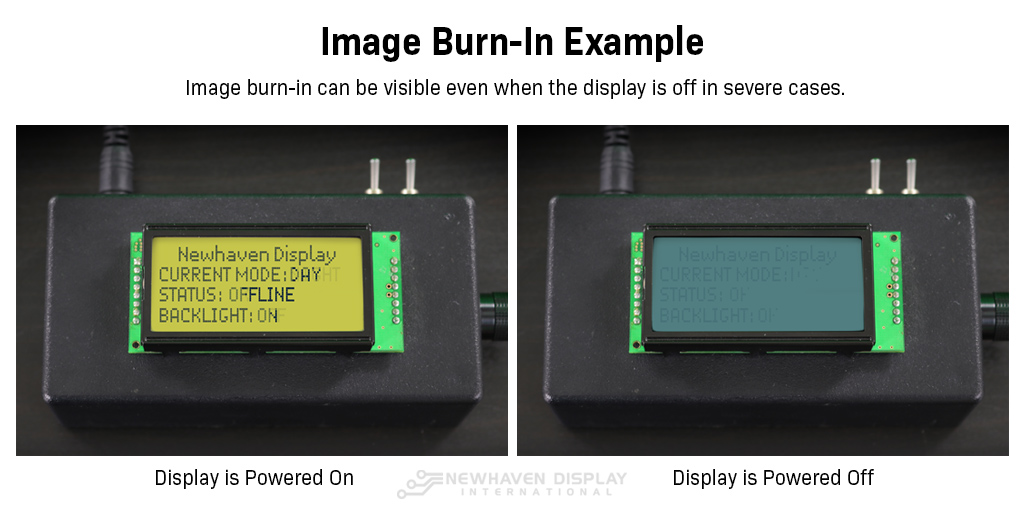
If your monitor displays unmistakable ghost images, running through targeted physical and software remediation cycles will resolve almost every non-defective case without requiring panel replacement.
The most reliable remediation strategy requires zero software interaction: perform a complete 24-to-48-hour hard power down. Simply putting the monitor into sleep mode is insufficient, as modern motherboards often keep internal display circuitry lightly energized. Unplug the display directly from wall power. Without active voltage across the panel matrix, accumulated electrostatic charges naturally equalize, allowing the liquid crystal molecules to drift back to their baseline relaxation geometry.
For immediate remediation, force the pixels through rapid, dynamic display refresh cycles. Running a full-screen white-noise loop or rapid color-cycling video for two to three hours forces every subpixel across the panel to switch repeatedly between maximum positive and maximum negative voltage states. This constant alternation strips out accumulated DC bias charges. Free browser-based utilities like JScreenFix alternate individual color channels at high frequencies, serving as both a rapid stuck pixel fix and an effective retention cleaner.
Long-term prevention requires small adjustments to operating habits. Lower your panel brightness down to sensible operational limits, typically between 120 and 160 nits (around 40%, 60% on consumer sliders), which slashes internal thermal stress. Configure your operating system to automatically turn screens off after five minutes of inactivity, and enable dynamic taskbar hiding. These basic hygiene measures effectively prevent ionic saturation from accumulating in the first place.