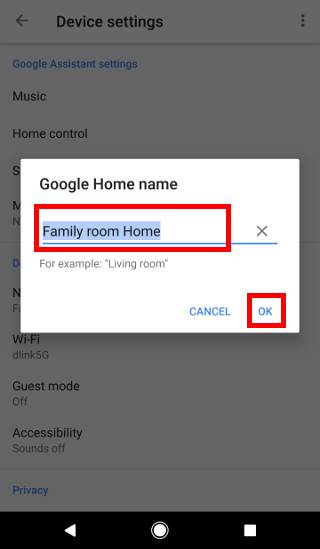
Applying custom device naming takes only seconds once you navigate the application directory. Launch the Google Home app, select the target device tile, open the gear icon to reach device settings, and tap the Name field. Erase the factory default, input your selected title, and tap save. The update propagates across your home Wi-Fi array immediately.
Naming disciplines directly power multi-room speaker groups. If you synchronize multiple units for whole-home audio, group labels must not conflict with individual speaker titles. Naming a group "The Entire Fortress" or "Everywhere Party" allows you to issue natural directives like "Play jazz on The Entire Fortress" without confusing Assistant with an individual endpoint named "Fortress."
Audio naming also determines the clarity of broadcast voice commands. When an upstairs Google Nest Mini is labeled Attic Crow's Nest, instructing the kitchen hub to "Broadcast to Attic Crow's Nest that dinner is ready" delivers the transmission accurately. You bypass whole-house blaring, pinpointing the exact room you need.